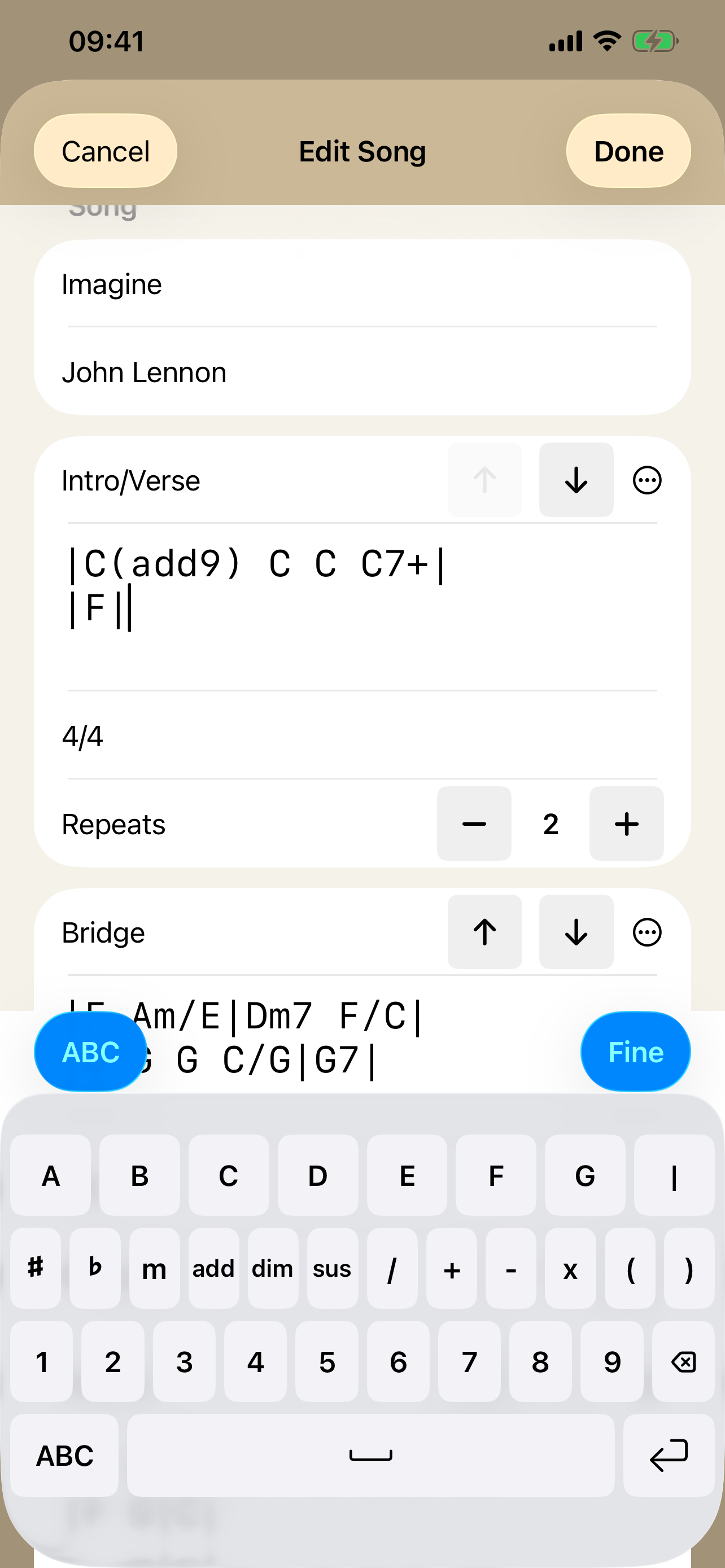
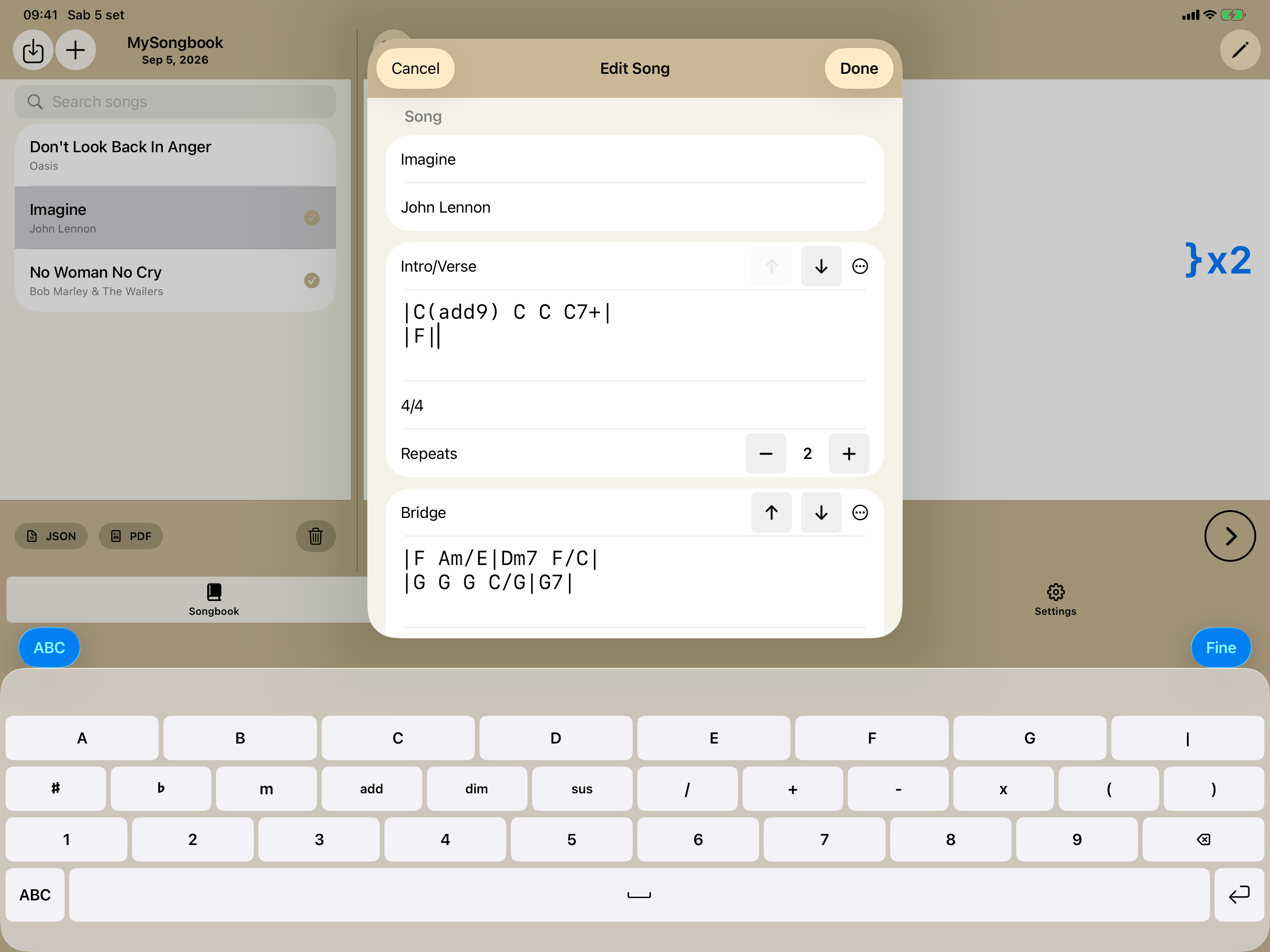
Write chords faster
A keyboard made for chords
Roots, accidentals, chord qualities and extensions, numbers, slash notation, bar lines, spacing, and line breaks stay one tap away while you edit.
Your music, ready when you are
Write your chord charts, transpose songs, and take your setlist to rehearsal or the stage. PocketSongbook works offline on iPhone and iPad.
Free on the App Store


Write chords faster
Roots, accidentals, chord qualities and extensions, numbers, slash notation, bar lines, spacing, and line breaks stay one tap away while you edit.
Built for iPad
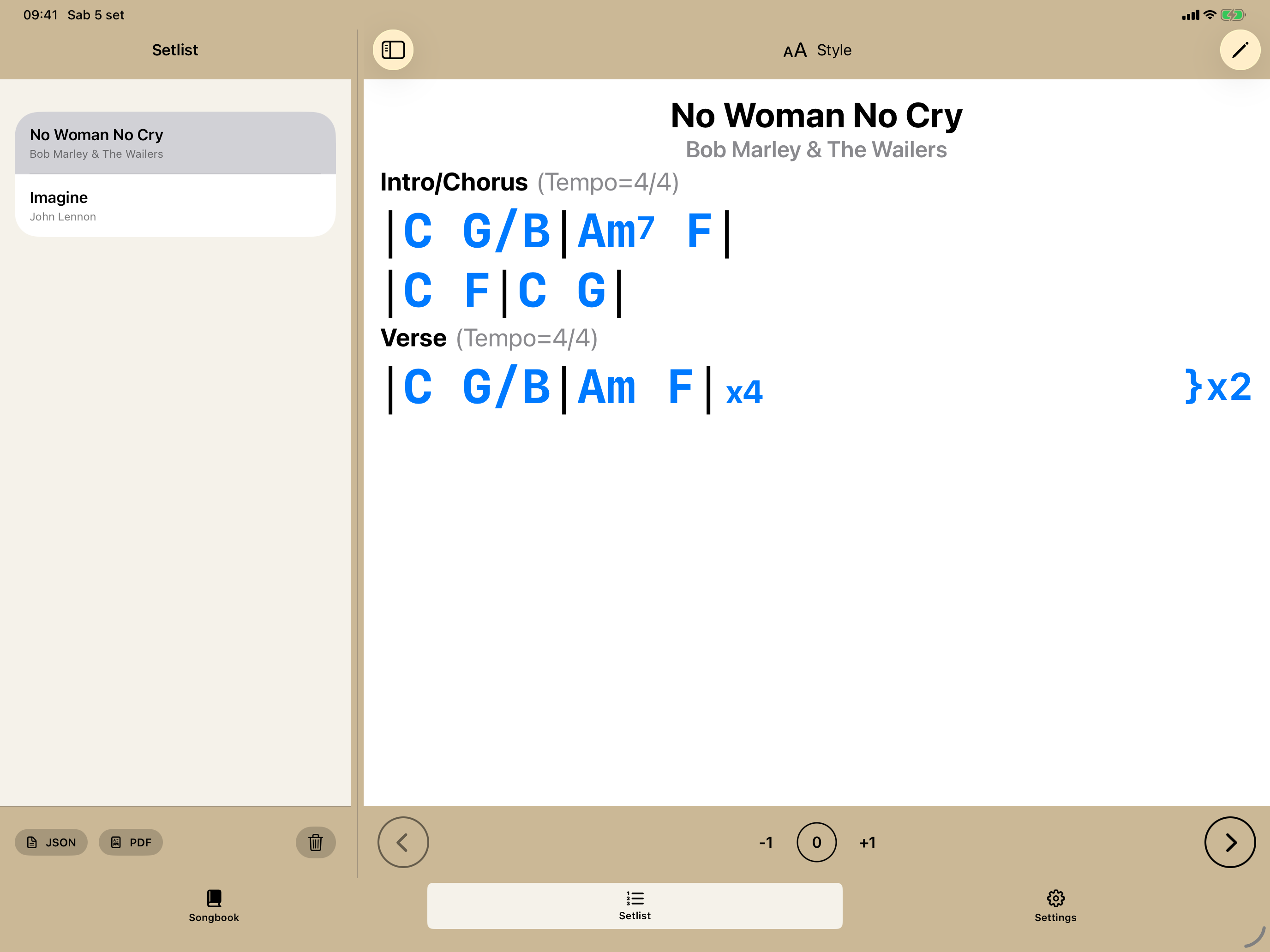
The iPad interface is designed for the larger screen, with adjustable split views in portrait and landscape. Keep the song list visible, resize the columns, and move between repertoire and setlist without losing either selection.
A focused workflow
Enter and edit chords quickly with the dedicated chord keyboard.
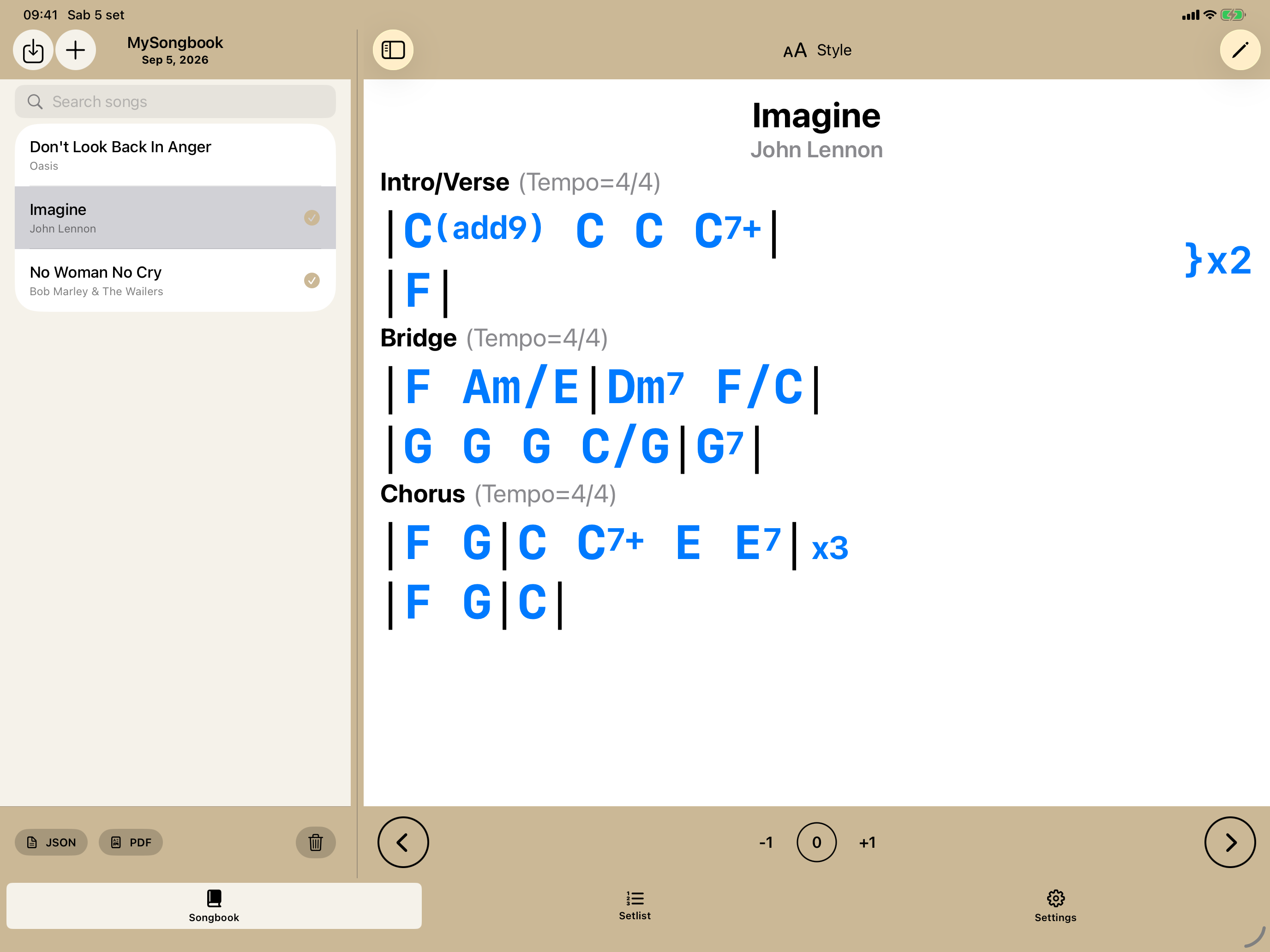
Organize each song into sections and choose between Bar Grid View and No Grid View.
Quickly find songs in your songbook and arrange them in the order you want for rehearsals and performances.
Quickly transpose and move from one song to the next while playing.
Inside PocketSongbook
Build readable charts, organize your songbook, and keep everything ready for rehearsal or the stage.
Two clear views
Bar Grid View makes measures immediately visible. No Grid View uses an invisible spacing grid for a more open chart.


From songbook to stage
Find songs in your songbook, arrange a setlist, and move from one song to the next during rehearsals or performances.


Offline-first
No account. No internet connection required. Songs are processed on your device, and you decide when to import or export portable JSON and PDF files.
Read the privacy policyMade for iPhone and iPad. Made for musicians.
The song view is designed for quick reading on iPhone and iPad while rehearsing or playing live. Transpose chords by semitones, import or export portable JSON files, and create PDF Songbooks and setlists with an index and page navigation.
Ready to write, organize, and play from your own chord charts?
Need help with a Songbook, a setlist, or file export?
Visit Support